
 Bulgarian
Support in the panel: write to us and follow the reply in one place
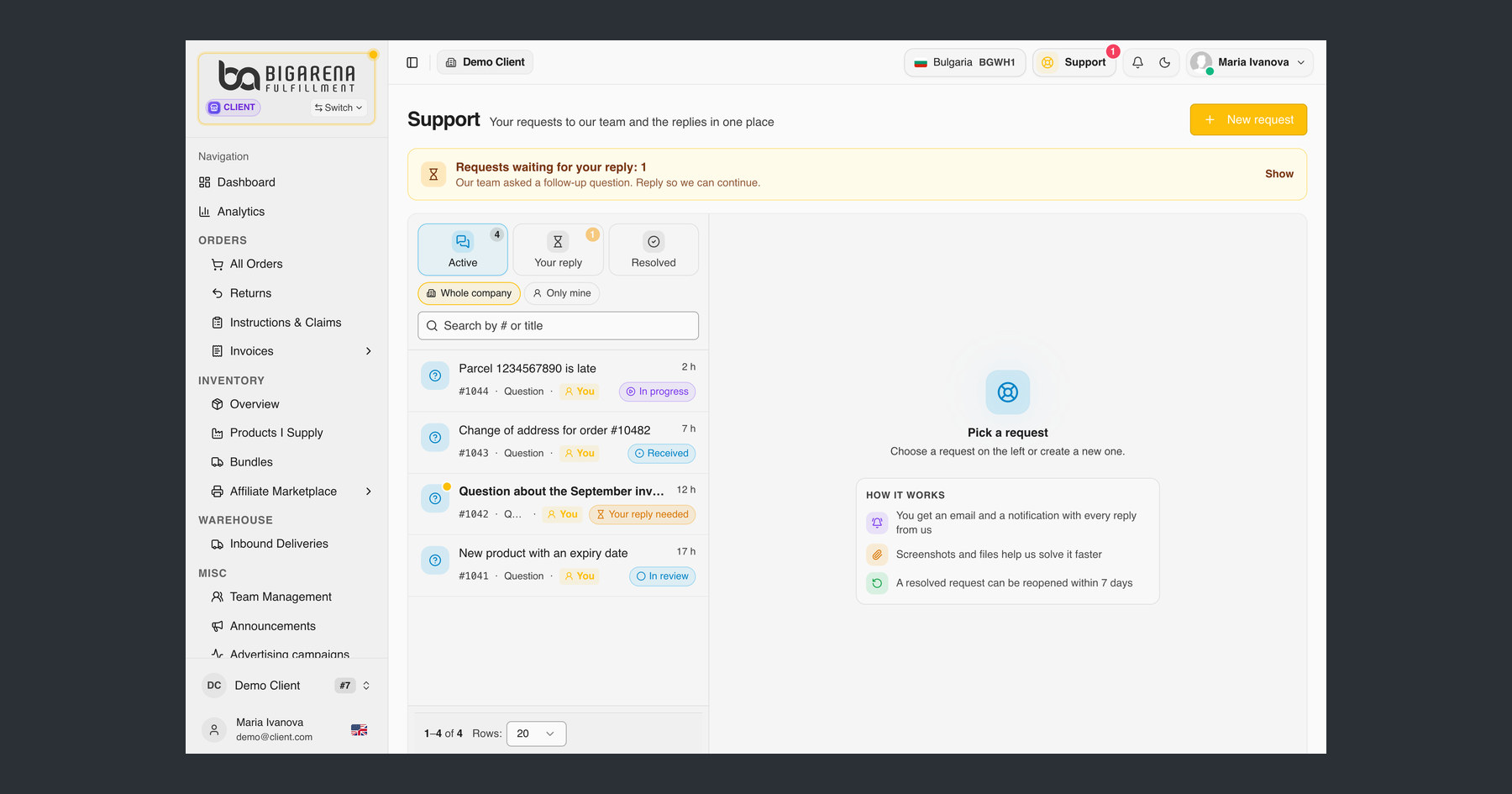
A question about a parcel, a problem with an integration or an invoice you want checked: you can now send all of it to our team straight from the BigArena client panel. Every request gets a number, the replies arrive in one place, and you can see where it stands.
That is what good 3PL customer service should look like: one place, a number for every request and an answer you can follow.
Where to find it
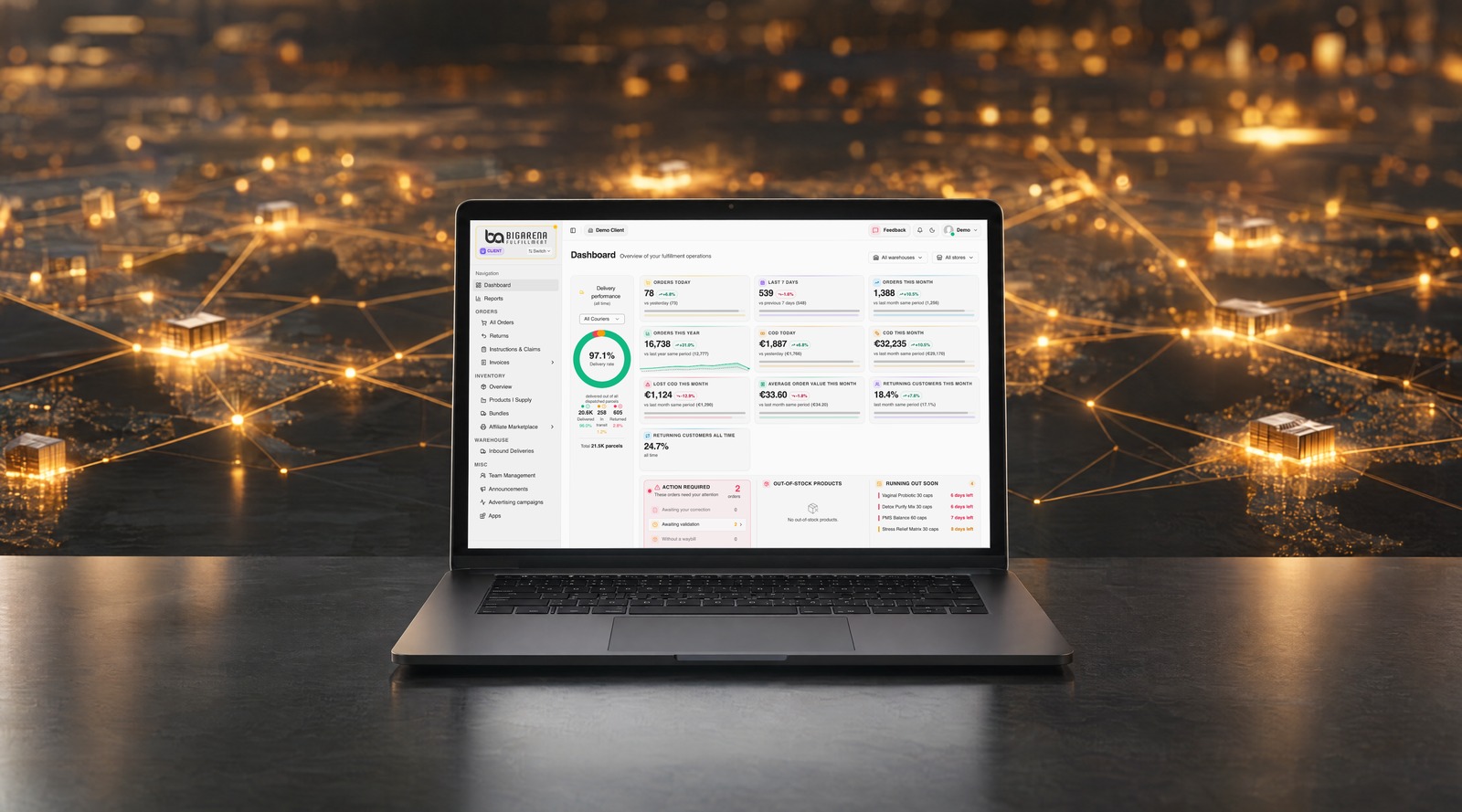
In the my.bigarena.net panel, the "Support" button sits at the top right. It holds all your requests to our team and the replies to them.
How to send a new request
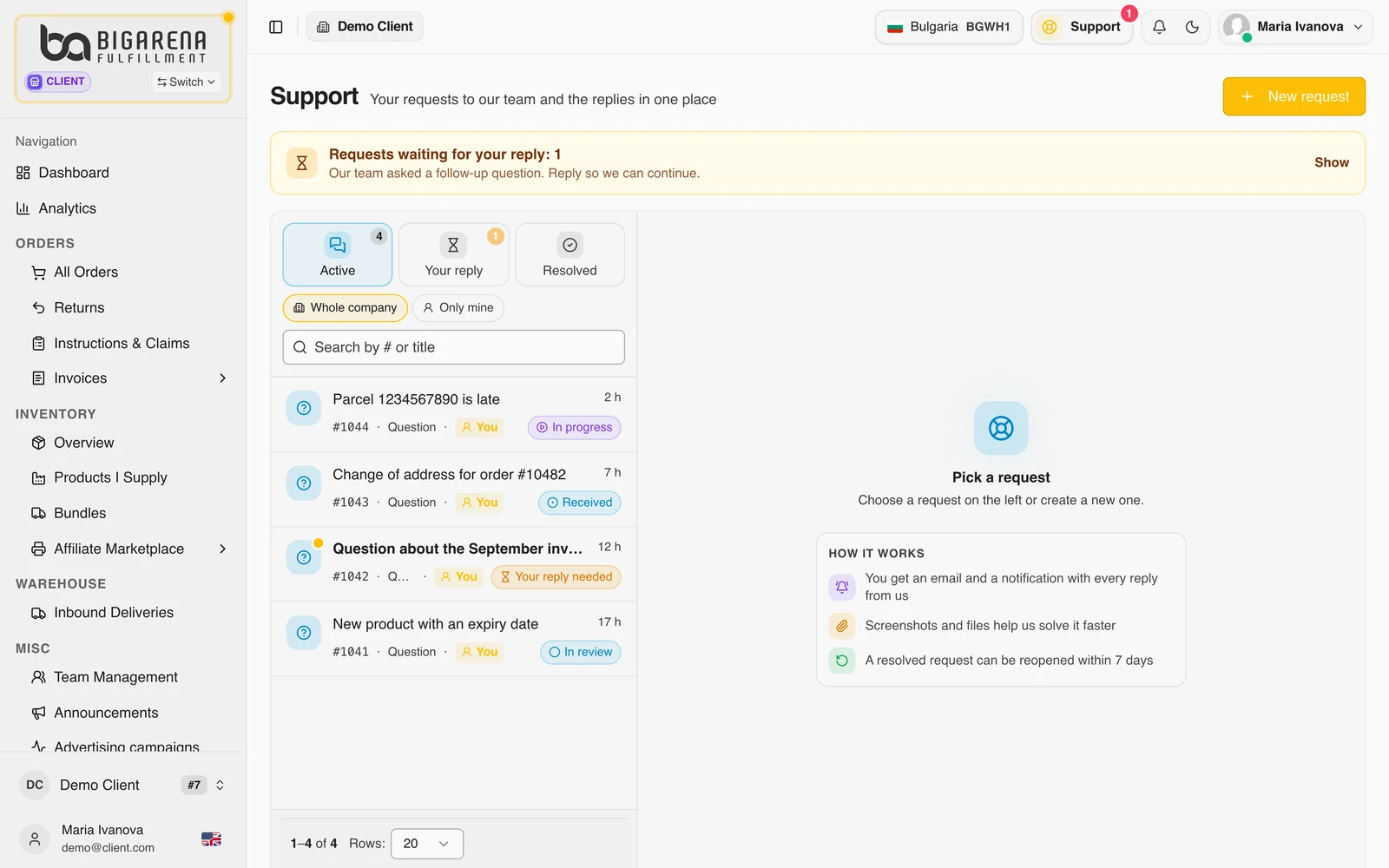
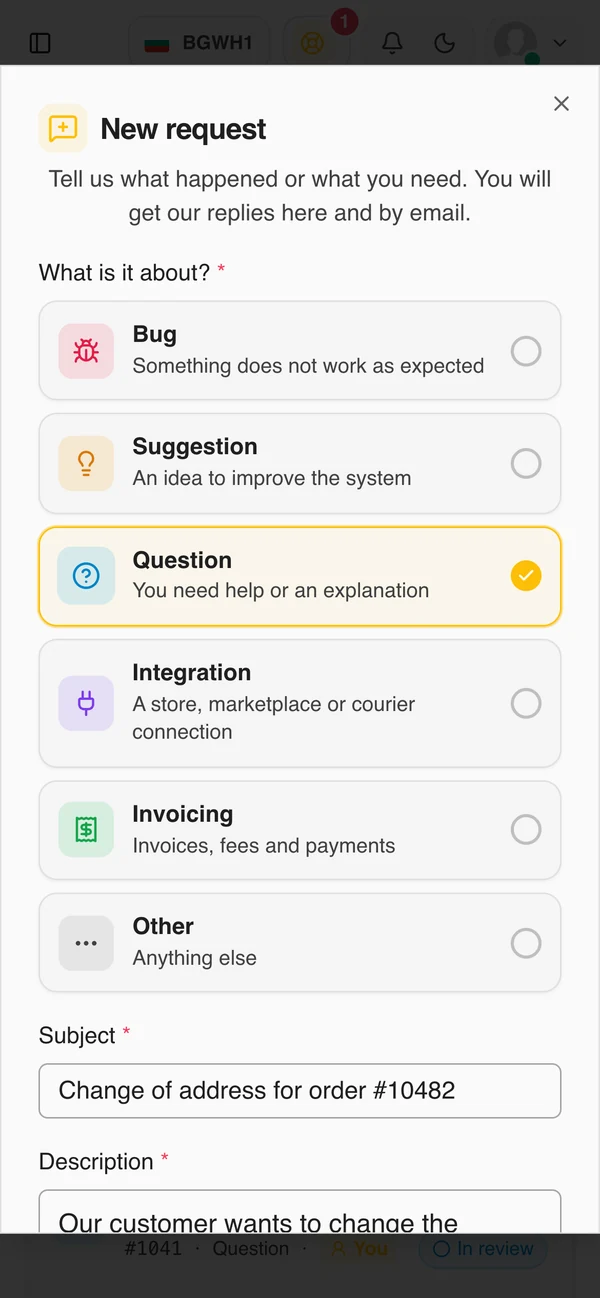
Click "New request" and choose what it is about:
- Bug: something does not work as it should;
- Suggestion: an idea to improve the system;
- Question: you need help or an explanation;
- Integration: a connection to a store, marketplace or courier;
- Invoicing: invoices, fees and payments;
- Other: everything else.
Write a subject and a description. You can attach up to 10 files of up to 10 MB each: screenshots, PDF, CSV, Excel or Word. A screenshot can also be pasted straight in with Ctrl + V. Files help us solve it faster.
Once sent, the request gets a number, for example #1043, and appears under "Active".
How to follow the reply
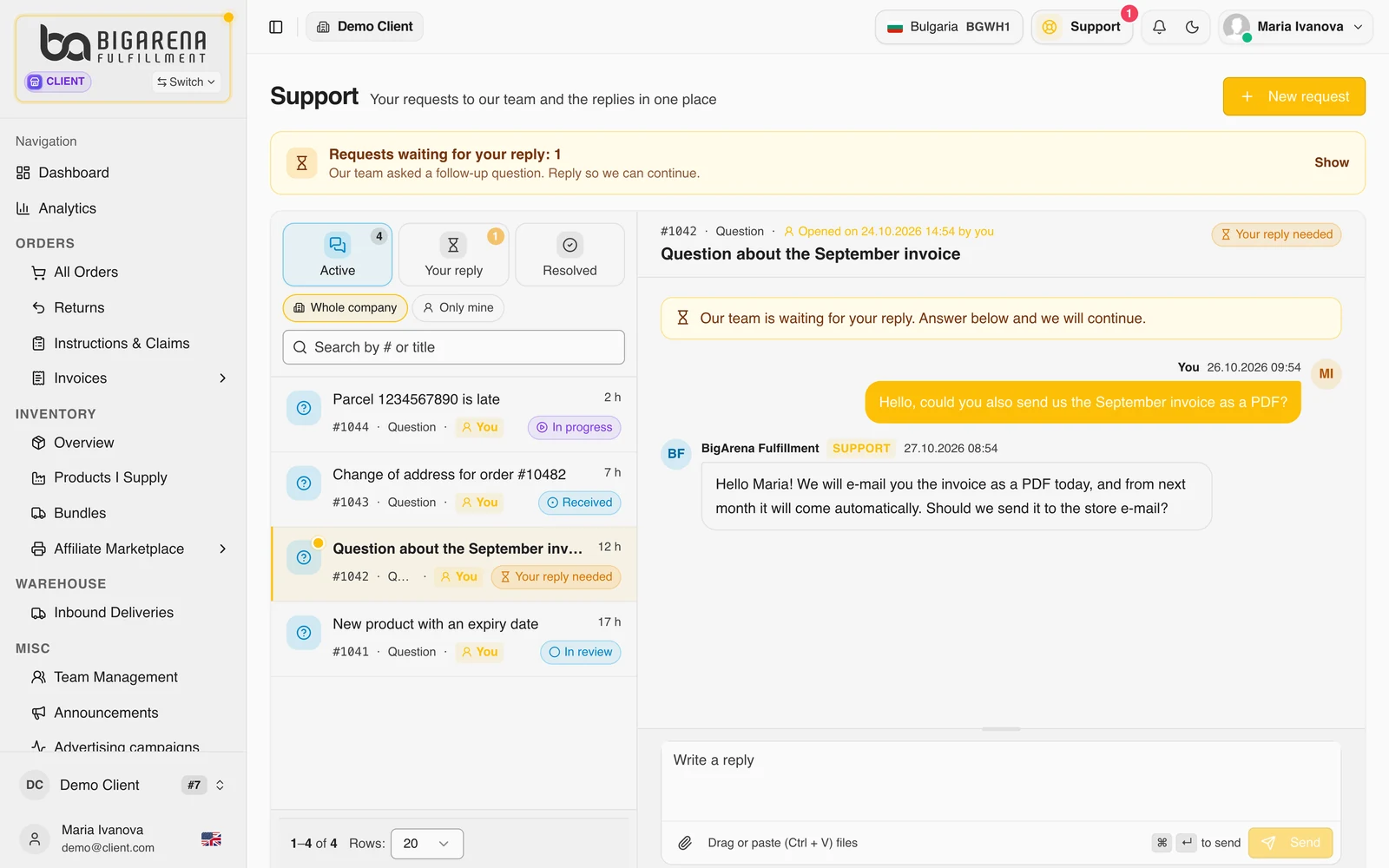
Your requests are sorted into three tabs:
- Active: the requests we are working on;
- Your reply: the ones we have answered and where we are waiting for you;
- Resolved: the closed ones.
Every time we reply you get an email and a notification in the panel. You answer in the same request, so the whole history stays in one place. You can see the requests of your whole company or only your own, and search by number or title.
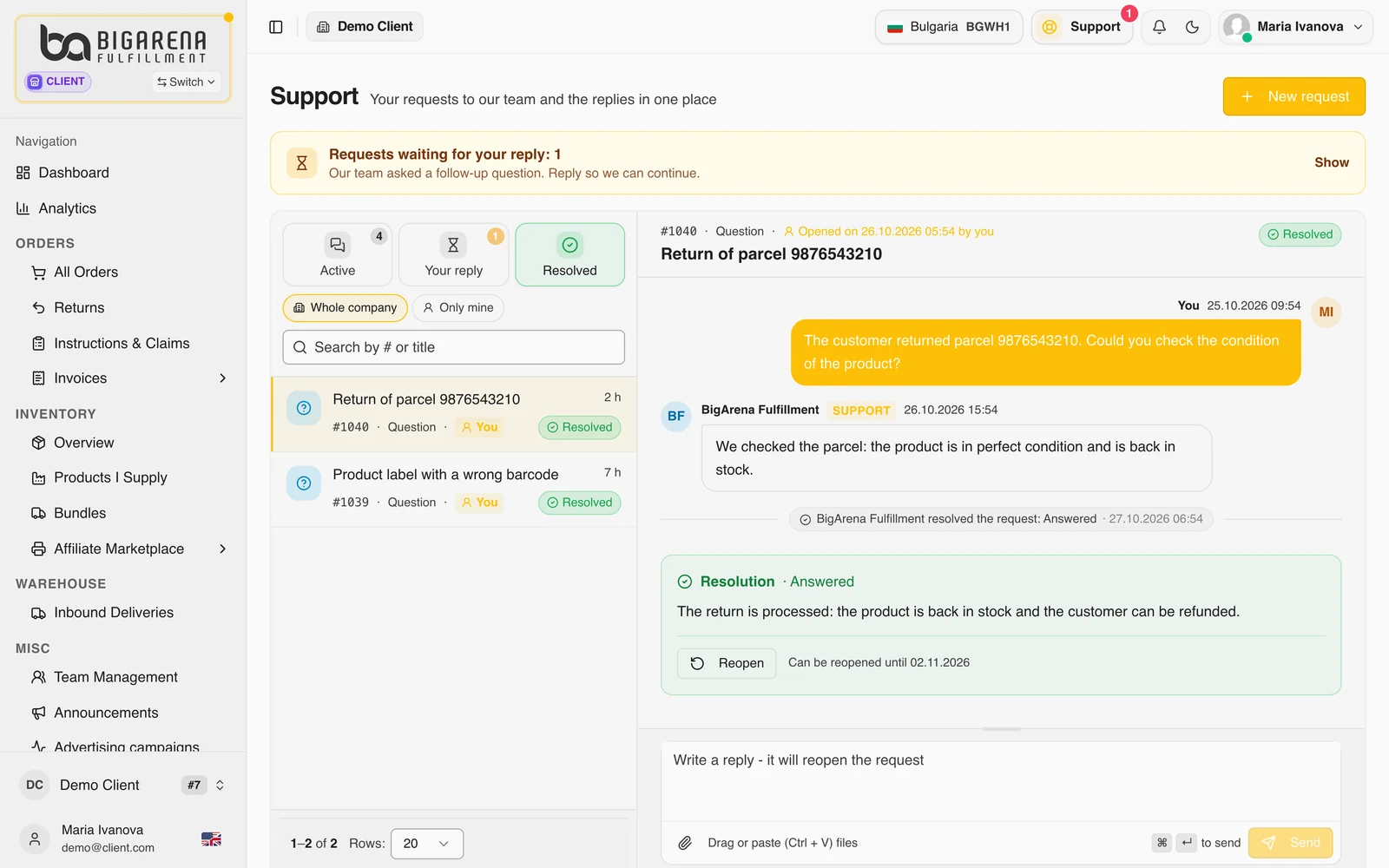
When the request is resolved
When we close it, the request shows the result and a short summary. If something is still not right, you can reopen a resolved request for up to 7 days: with the "Reopen" button, or simply by writing a reply.
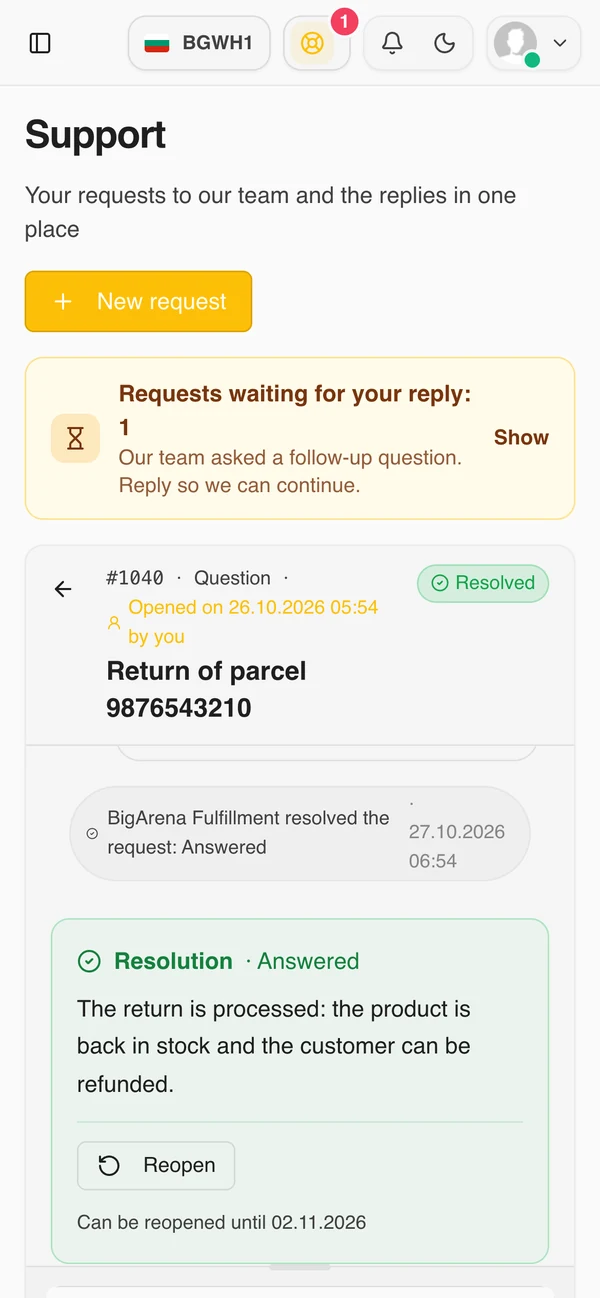
It works on your phone too
Support also works in your phone's browser, with no separate app. Send a new request, follow the reply and answer from your phone, just as from your computer.
Frequently asked questions
Where do I write to support?
In the panel, with the "Support" button at the top right, then "New request".
How do I know you have replied?
You get an email and a notification in the panel every time we reply. Requests waiting for your answer are under "Your reply".
Can I attach files?
Yes, up to 10 files of up to 10 MB each: jpg, png, webp, gif, pdf, csv, txt, xls, xlsx, doc and docx.
Can I reopen a resolved request?
Yes, for up to 7 days after it was resolved.
Can my colleagues see the requests?
In the panel you choose whether to see the requests of your whole company or only your own.
One question, one number, one place for the answer.
If you already work with us, the "Support" button is waiting in your panel. If you are not a client yet, tell us what you ship and to which countries, and we will send you a quote.
Request a quote