
 Bulgarian
 German
 Spanish
 Slovak
 Serbian (Latin)
 Romanian
 Greek
Greek
 Polish
 Czech
Czech
 Russian
 Albanian
- Home
- Fulfillment
- Returns and complaints
Returns management for online stores
Unclaimed cash on delivery parcels and customer returns come back to our warehouse. We open every parcel on video, scan every product and show you in your client panel what came back, why and in what condition.
Every parcel opened on videoProcessed in 1-4 working daysYou decide the refund in the panel
How we process a return
Two kinds of parcels come back to us: cash on delivery parcels the customer never collected, and returns or complaints the customer sends to our warehouse. Both go through the same steps, in 1-4 working days, usually within 2.
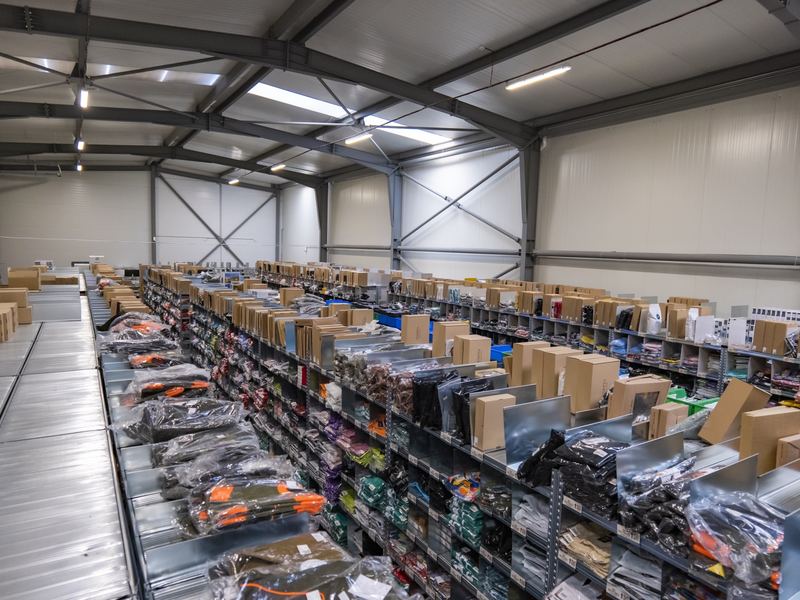
The parcel arrives at the warehouse
An unclaimed parcel comes back from the courier, or the customer sends the goods to our warehouse address.
We find the original order
The system knows the original order: your store and the products that should be in the parcel.
We open the parcel on camera
The whole process is recorded on video, from opening the parcel to the last scanned product.
We scan every product
Each item is scanned one by one and marked as OK or defective. Anything that is not scanned, the system records as missing.
We enter the customer's note
If the parcel contains a note or a complaint form, we enter its details into the panel: IBAN, account holder and the reason for the return, for example a size that doesn't fit.
You see the return in your panel
In the "Orders Returned" section of your client panel you see the reason, what came back and the condition of each product.
You decide on the refund
You refund the customer, in full or in part. Card payments are refunded through your store's own payment provider. Cash on delivery orders are refunded by bank transfer to the customer's IBAN: you make the transfer yourself, or you choose to let BigArena pay it for you.
What happens to each product
After scanning, every product from the parcel has exactly one status. You see it in your panel next to the order.
OK: back to stock
The product is in good condition and goes back into your sellable stock, ready for the next order.
Defective: defects zone
The product is damaged or can't be sold. It goes to a separate defects zone and never mixes with your sellable stock.
Missing: recorded automatically
A product that should have been in the parcel but was not scanned is recorded by the system as missing.
What happens to defective products
You can collect them from the warehouse, or we ship them to your address or wherever you tell us.
Returns in your client panel
Every return appears in the "Orders Returned" section of your BigArena panel: the type of return, the products and their condition, the customer's comment and IBAN, and the refund status.
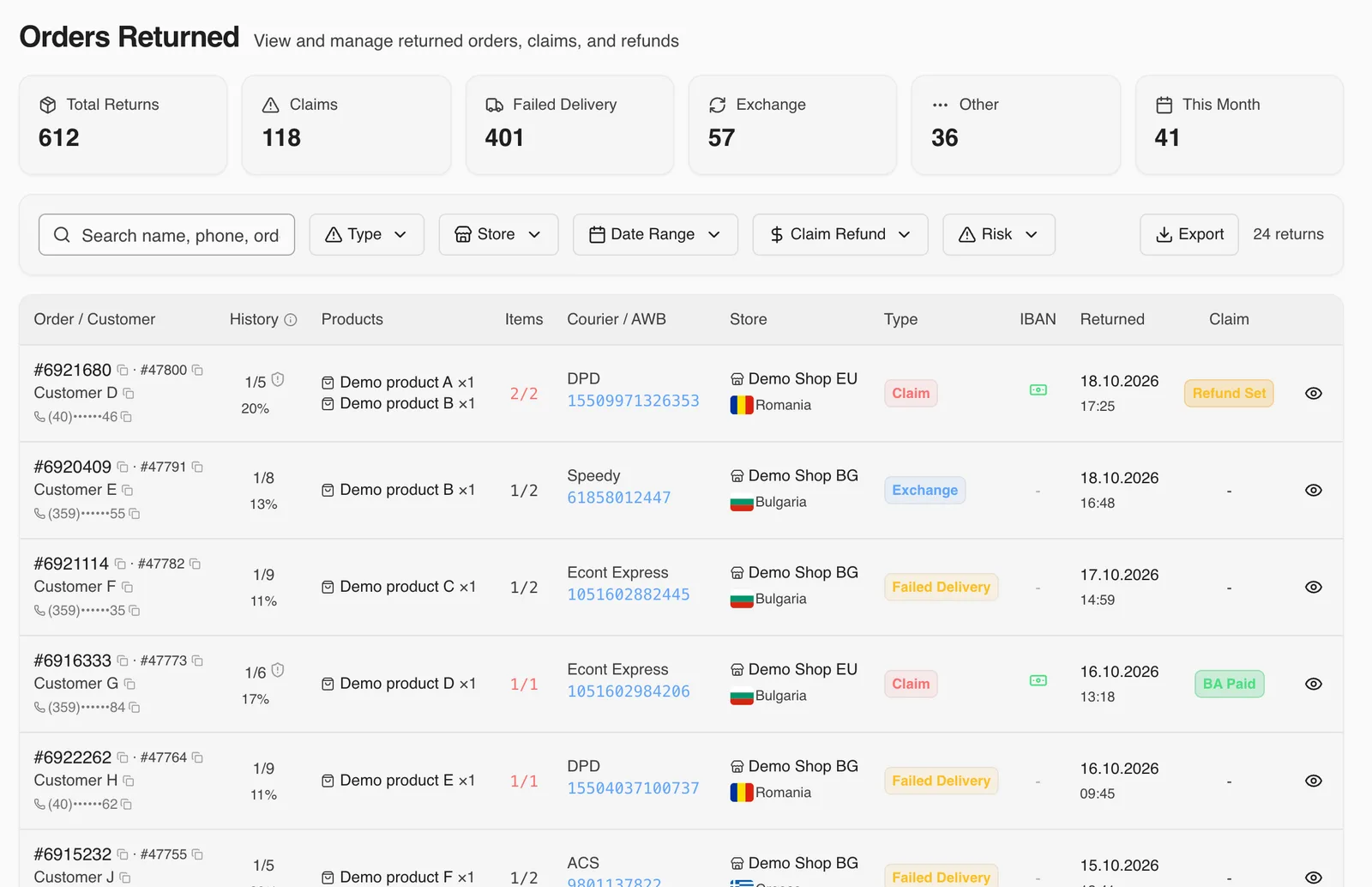
Swipe sideways to see the whole table.
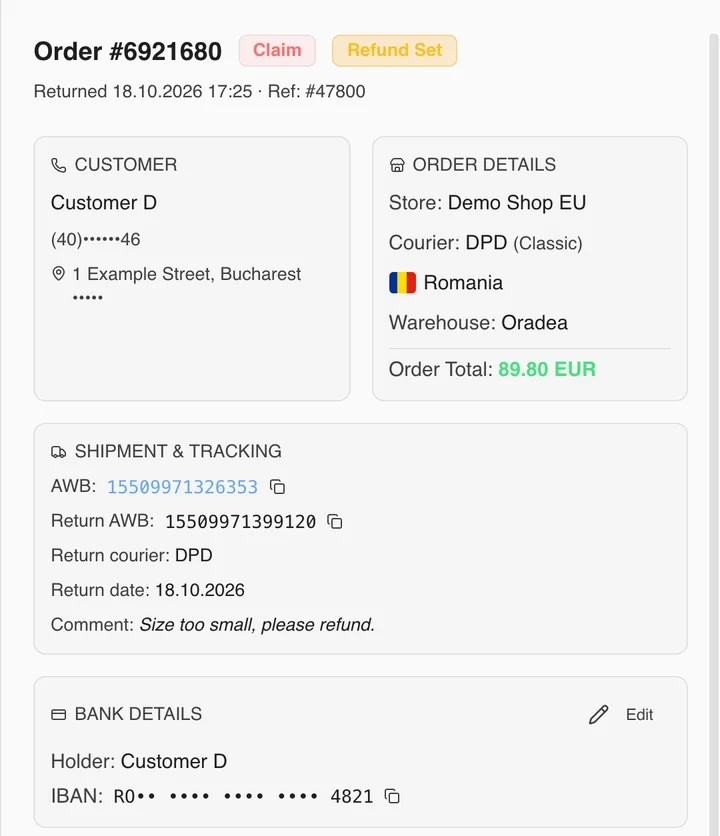
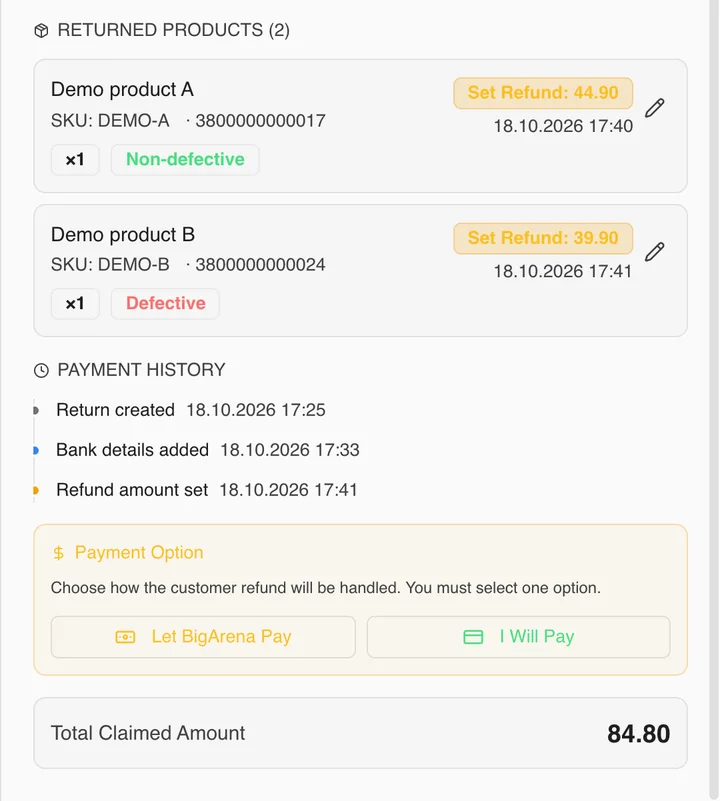
How the customer gets their money back
- Card payments
The refund goes through your store's own payment provider, as usual. We are not involved in it.
- Cash on delivery: you pay
Set the amount for each product, in full or in part, and transfer it to the IBAN we entered from the customer's note.
- Cash on delivery: BigArena pays
Click "Let BigArena Pay" and enter the amount. We take it on as a task and transfer the money to the customer's IBAN.
Screenshots with demo data.
Video proof for every return
If a customer says something was missing or damaged, the opening of the parcel is on video, up to the last scanned product. Ask our team and we will send you the video.
- 96%
Orders recorded on video
96% of orders are recorded on video during packing, so you can compare what left the warehouse with what came back. How video verification works.
- 1-4
Working days per return
Every return is processed in 1-4 working days, usually within 2.
- 1-2 h
Reply time
Our team answers your questions within 1-2 hours.
Questions about returns
What happens to unclaimed cash on delivery parcels?
How do you match a customer return to the right order?
What if a product is missing from the returned parcel?
How long does it take to process a return?
Who refunds the customer?
What do you do with defective products?
Can I get the video of a return?
Leave your returns to us
Tell us what you sell, where your customers are and how many orders you ship a month. We will send you a fulfillment quote.
Get a quote